Quickly retrieve vertex positions of a Maya mesh (English Translation)
Par Narann le mardi, 27 septembre 2011, 22:16 - Script et code - Lien permanent
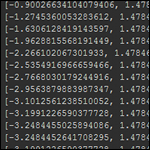 If you ever had to recover vertex positions of a mesh object, you probably crash yourself against the xform command and his legendary slowness.
In this post, I purpose a piece of Python script using the Python Maya API that allows you to faster recover the list of all vertex positions of an object.
Primarily didactic, these codes may interest peoples who want to look a little more deeply how to use the API while having a concrete application. 
Using xform
Here is the xform version of the script:
def getVtxPos( shapeNode ) :

	vtxWorldPosition = []    # will contain positions un space of all object vertex

	vtxIndexList = cmds.getAttr( shapeNode+".vrts", multiIndices=True )

	for i in vtxIndexList :
		curPointPosition = cmds.xform( str(shapeNode)+".pnts["+str(i)+"]", query=True, translation=True, worldSpace=True )    # [1.1269192869360154, 4.5408735275268555, 1.3387055339628269]
		vtxWorldPosition.append( curPointPosition )

	return vtxWorldPosition
With Maya API
Alternative to xform.
import maya.OpenMaya as OpenMaya

def particleFillSelection(  ):

	# get the active selection
	selection = OpenMaya.MSelectionList()
	OpenMaya.MGlobal.getActiveSelectionList( selection )
	iterSel = OpenMaya.MItSelectionList(selection, OpenMaya.MFn.kMesh)

	# go througt selection
	while not iterSel.isDone():

		# get dagPath
		dagPath = OpenMaya.MDagPath()
		iterSel.getDagPath( dagPath )

		# create empty point array
		inMeshMPointArray = OpenMaya.MPointArray()

		# create function set and get points in world space
		currentInMeshMFnMesh = OpenMaya.MFnMesh(dagPath)
		currentInMeshMFnMesh.getPoints(inMeshMPointArray, OpenMaya.MSpace.kWorld)

		# put each point to a list
		pointList = []

		for i in range( inMeshMPointArray.length() ) :

			pointList.append( [inMeshMPointArray[i][0], inMeshMPointArray[i][1], inMeshMPointArray[i][2]] )

		return pointList
Notice: I thought that specifying the size of the list from the start would gain time but it changes nothing. It seems that Python handles it well. So, I learned a new saying: Premature optimization is the root of all evil.

Benchmarks
Well, it's fine to say it's faster. But how much? 
Here are times I have with a 50x50 pSphere smoothed 4 (633602 vertices):
- With xform: 39 sec
- With Python Maya API: 4 sec
10x faster! This would give me almost want to code in C++, just to see results (which is suppose to be 10x faster than Python!)!!! 
Conclusion
Well now it's up to you to know when use it.
You can try to optimize Djelloul's algorythm and let me know your results! 
Now, I couldn't do without the API if I have to retrieve vertex positions of a mesh. It's much faster. Even if it's a little more complicate, I admit, but when you have this code, you keep it and use it at the right time! 
Hope you like this trick!
See you soon!

Commentaires
dagPath = OpenMaya.MDagPath()
iterSel.getDagPath( dagPath )
I kinda get everything your describing except for this part. Your building a dagPath object and im guessing injecting the objects mesh into it? is this so you can walk the sub components of the mesh? namely the verts?
Your building a dagPath object and im guessing injecting the objects mesh into it? << Yes, This is exactly this!
iterSel.getDagPath( dagPath ) put the dag path of the selection in the dagPath variable.
More info here: http://download.autodesk.com/us/may...
Once you have the dag path, you should check this is a kMesh (already done during the selectionList generation) and put it in a MFnMesh to retrieve mesh informations.
More infos here:
http://download.autodesk.com/us/may...
I guess you could find more informations about Objects and Function Set here:
http://download.autodesk.com/us/may...
Good luck!
Dorian
There's another way to retrieve those values even faster without c++:
"""cmds.polySphere(name='main')  //  Smotthed 4x -- 633602 vertices"""

import maya.cmds as cmds

import time


t = time.time()

xOrig = cmds.xform('main.vtx[*]', q=True, ws=True, t=True)

origPts = zip(xOrig[0::3], xOrig[1::3], xOrig[2::3])

print 'time: %s' %(time.time() - t)


>> Result time: 2 sec
Wow! Impressive! o_O
Thanks a lot for sharing this!
Regards,
Dorian
Thank you for your blog. I've leaning some good stuff here. I wish I know French so I could read your other tutorials.
...I'm learning API just now and I start to fell the power of possibilities!
Cheers,
Daniel
Hi Daniel!
Some tutorial are "understandable" if you use google translate:
http://translate.google.fr/?sl=en&tl=fr#en
Don't hesitate to ask on the post (even in english) if you need some clarifications.
PS: Adrien give me a shorter way on Twitter.
now i can read your tutorials through google transalator link. Thanks buddy.
Thank you for this quick tutorial, merci!
You're welcome!